RefCheck IA: check the references in AI-generated reports
AI can write reports with references that look perfect and do not exist. RefCheck IA is a free tool I have built to check every reference in PubMed and Crossref, and to prepare a sound search from the clinical question.
By Dr. Mario Domínguez Esteban, urologist (registration no. 392860199).Published: · Last reviewed:
Why I built it
AI writes references the same way it writes the rest of the text. Even when a tool searches the internet, a citation can come out with mixed-up details or be invented outright: real authors, the right journal and a well-formed DOI. At a glance, it looks just like a real one.
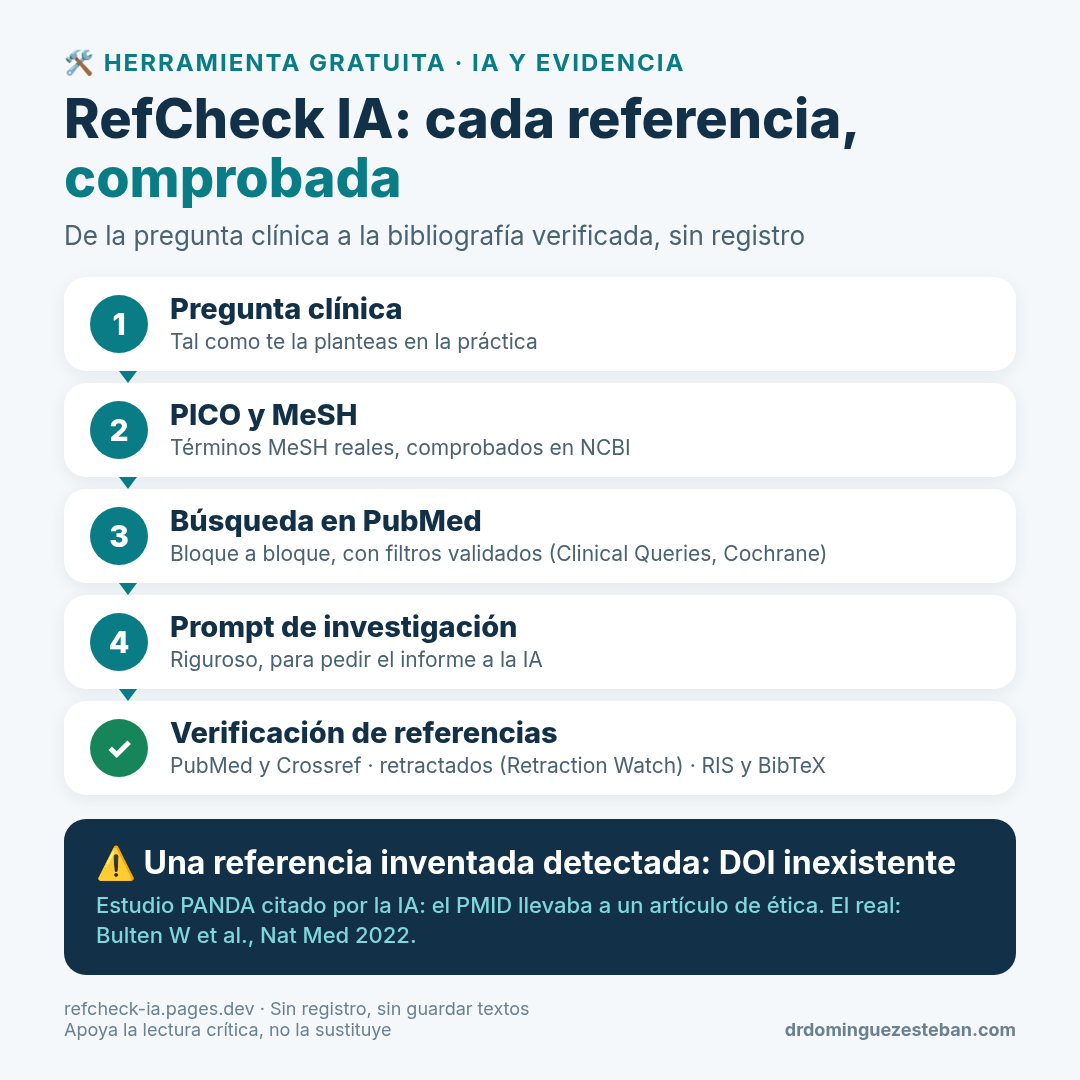
A real example: a ChatGPT report on AI in prostate cancer cited the PANDA study with the correct authors, journal and year. But the PMID led to an ethics article and the DOI did not exist. The real article is Bulten W et al., Nat Med 2022 (doi:10.1038/s41591-021-01620-2 ↗). RefCheck IA flagged that citation as a serious error.
What it does
It has two parts. You can use both, or only the first if you already have a report.
1. Check the references in a report. You paste the full report or just its reference list, and RefCheck IA:
- Looks up each reference in PubMed and Crossref and tells you whether it exists, whether the title, first author, year and journal match, or whether the PMID or DOI points to a different article.
- Also checks clinical trial numbers (NCT) in ClinicalTrials.gov.
- Flags articles that have been retracted or carry an expression of concern from the journal, using data from PubMed, Crossref and Retraction Watch.
- Links each article to Scite, so you can see how other papers have cited it and whether they support or contradict it.
- Exports the checked reference list in RIS (for Zotero, Mendeley or EndNote), BibTeX, CSV and Vancouver, using the official PubMed and Crossref data rather than the report's.
2. Prepare the search from the clinical question.
- Structures the question as PICO and looks up the real MeSH terms in NCBI.
- Builds the PubMed search block by block, with validated methodological filters (PubMed Clinical Queries and the Cochrane strategy for clinical trials), and shows how many articles each block finds.
- Generates a prompt, in Spanish or English, to ask the AI for the report: it requires references with PMID and DOI and forbids made-up citations.
How to use it
- Write your clinical question. Review the PICO fields and the MeSH terms, and copy the prompt.
- Paste the prompt into your AI tool (for example, Claude, ChatGPT or NotebookLM, in deep research mode if it has one) and copy the full report.
- Paste the report into RefCheck IA and click “Verificar referencias” (Check references). Review the status of each reference and export the checked reference list.
If you already have a report, you can go straight to the third step.
Privacy and use of AI
No sign-up and no cookies. Reference checking happens in your browser: it only queries identifiers and titles in the public APIs of NCBI, Crossref, DataCite, doi.org, Europe PMC and ClinicalTrials.gov. Exception: if you turn on the experimental AI, the PICO question, the search string and the counts are sent to Cloudflare Workers AI, and, in claim verification, the report’s claims with the excerpts from the cited article; never the reference list. No text is stored. Do not enter patient data.
AI is optional. There is an experimental assistant, using an open AI model that runs on Cloudflare, which can suggest the PICO, explain the search and summarise the counts. If you switch it on, the question, the search string and the counts are sent and, if you verify claims, the claims with the excerpts from the cited article; never the reference list. Nothing is stored. The MeSH terms it suggests are always checked in NCBI. Do not enter patient data.
The AI assistant has a free daily limit. If it runs out, the tool keeps working without AI: whether a reference exists is decided by PubMed, Crossref and DataCite, not by the AI.
What it does not do
It checks that each reference exists and that its details match, and flags claims that the cited text does not seem to support. That flag is only a guide: it does not guarantee that the article says what the report claims, and you need to read it to confirm. RefCheck IA supports critical reading; it does not replace it.
It is a support tool for healthcare and research professionals. It is not intended for patients or for making clinical decisions.
Who built it
I built it myself, Mario Domínguez Esteban, urologist, in a personal capacity and with the help of AI. It is free and non-commercial.
If you try it, tell me what you would improve on X ↗ or LinkedIn ↗.
Infographic
Visual summary of the tool (in Spanish):
This tool has no conflicts of interest: it is free, non-commercial and built by me. Full declaration: Transparency.
A support tool for professionals: it does not replace critical reading of each article or clinical judgement.